01 Working view
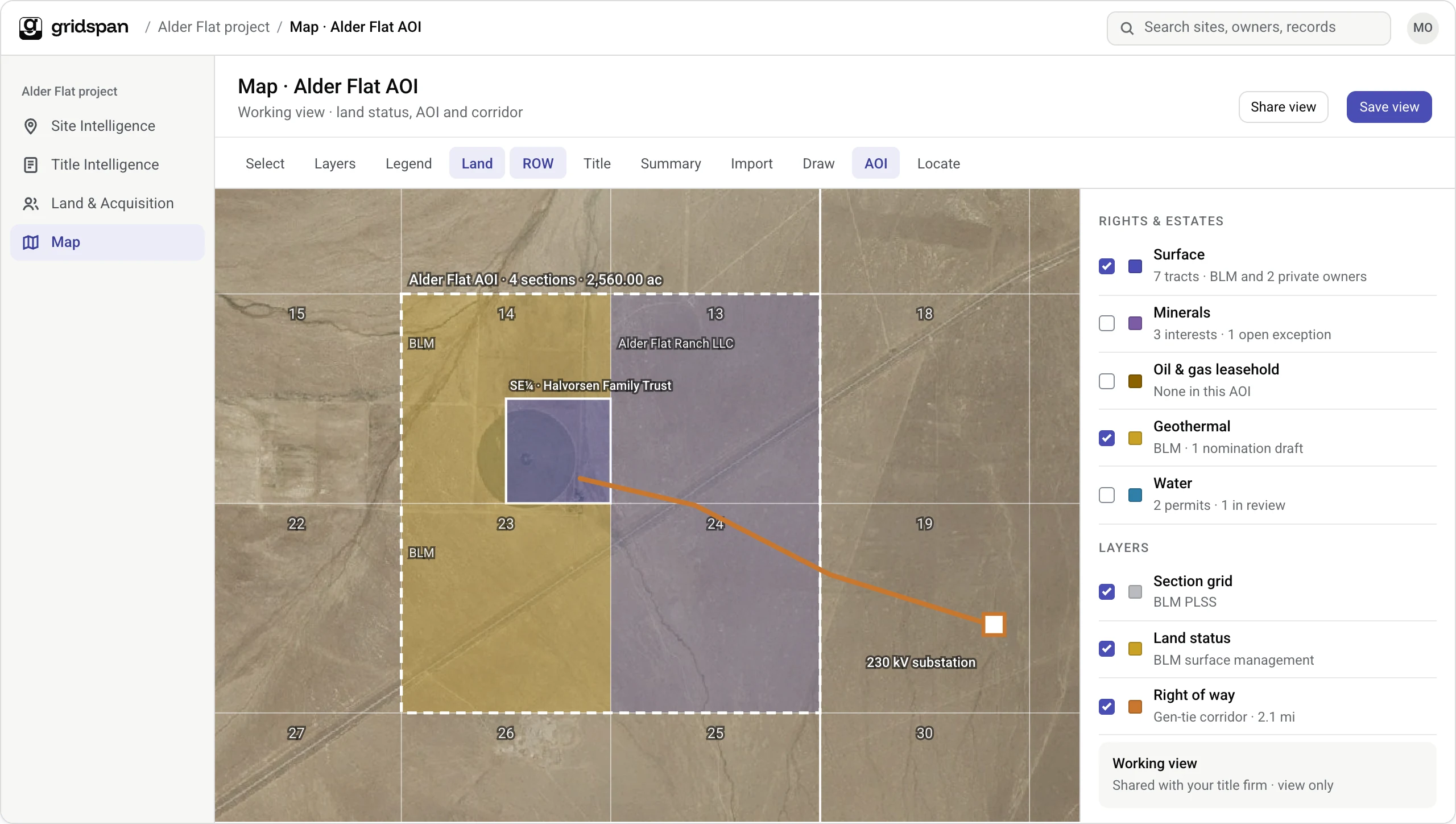
Every site, owner and right, on one map.
Land status, AOIs, corridors and owners from every product, in the view your team works from.
Land manager
The problemThe land picture lives in GIS files, spreadsheets and PDFs that drift apart.
With GridSpanOwnership, status and corridors on one map your team works from.
VP Development
The problemThere is no quick way to see where a project stands on the ground.
With GridSpanEvery AOI and right on one map, with its status, at a glance.
Land services firm
The problemMaps go out as exported files that are stale by the next call.
With GridSpanShare a working view. Contractors see only their own work.
02 Estates
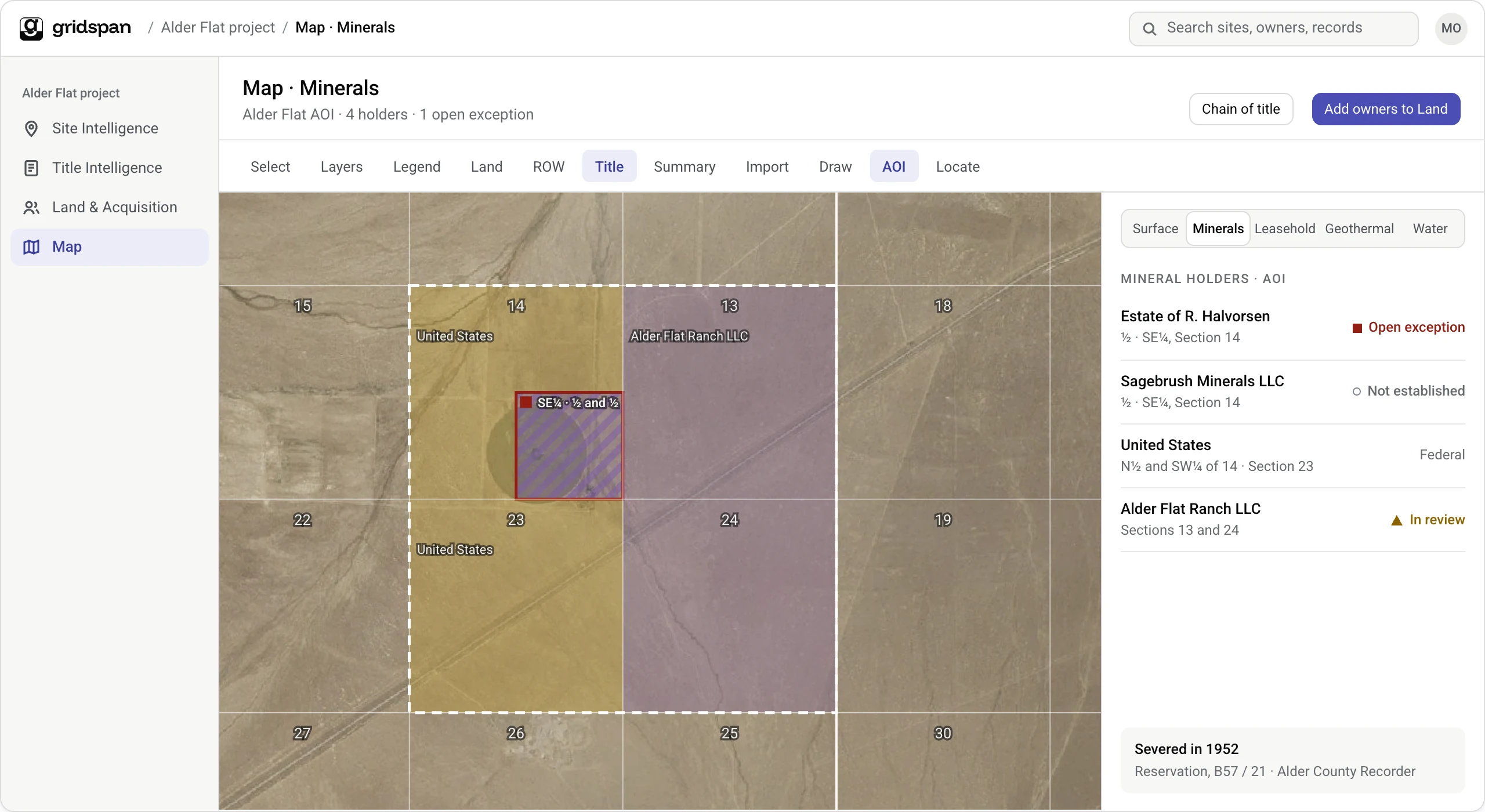
Every estate, on one map.
Switch between surface, minerals, leasehold, geothermal and water to see who holds what, tract by tract.
Title examiner
The problemSevered minerals and leasehold are hard to see against the surface.
With GridSpanEach estate shows tract by tract, tied to its chain of title.
Landman
The problemFinding every holder of a tract means reading the chain for each estate.
With GridSpanEvery holder of every estate in the AOI, ready to add to Land.
03 Draw and trace
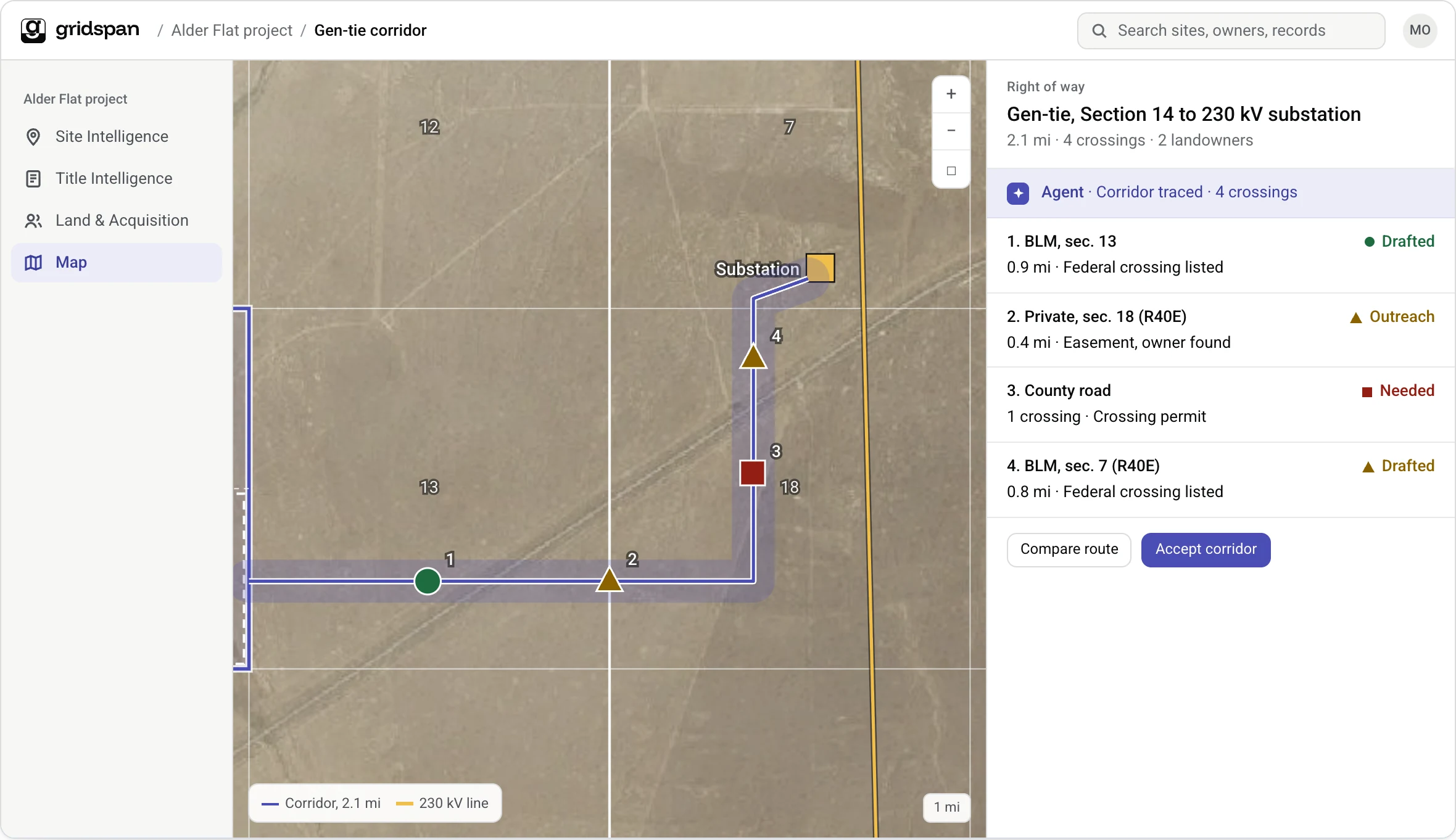
Draw an AOI or a corridor. The record follows.
Crossings, owners and acreage come with the line you draw.
Right-of-way manager
The problemCorridor options are drawn in one tool and owners looked up in another.
With GridSpanDraw the line and see crossings and owners on the same map.
Development manager
The problemA new AOI means rebuilding the parcel list by hand.
With GridSpanDraw the AOI, and its parcels, owners and acreage come with it.